
CS 1.6 maps: choose layouts and install custom maps
A useful map fits the session you want to play. Start with the objective, player count and available routes; visual detail alone tells you little about how a layout will feel after ten rounds.
Know the place. Learn the route.
Eight views of classic Counter-Strike. Open a screenshot, compare the setting and choose a map for your next local practice session.
-
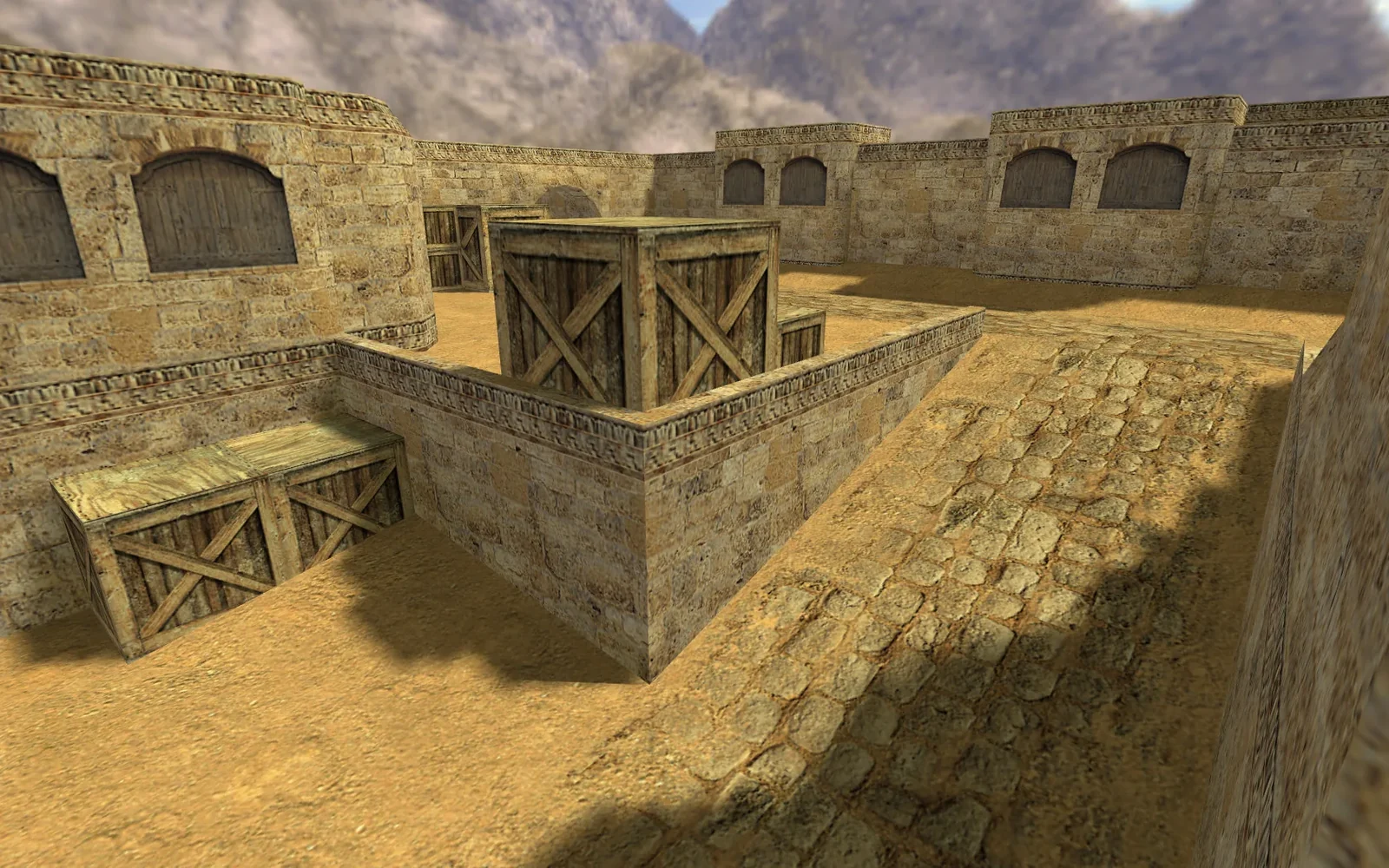
Dust II
de_dust2Warm stone, wooden crates and open sky. A clear view of cover at different heights.
Practice brief & local command
Try this in practiceChoose one crate as a landmark. Walk around it and compare what becomes visible from each side before adding opponents.
Local game consolemap de_dust2Requires an installed CS 1.6 client, this map’s BSP file and its required resources. Leave your current match first. Run this in the CS 1.6 console to start the map on your own local server; it does not join a public server.
-
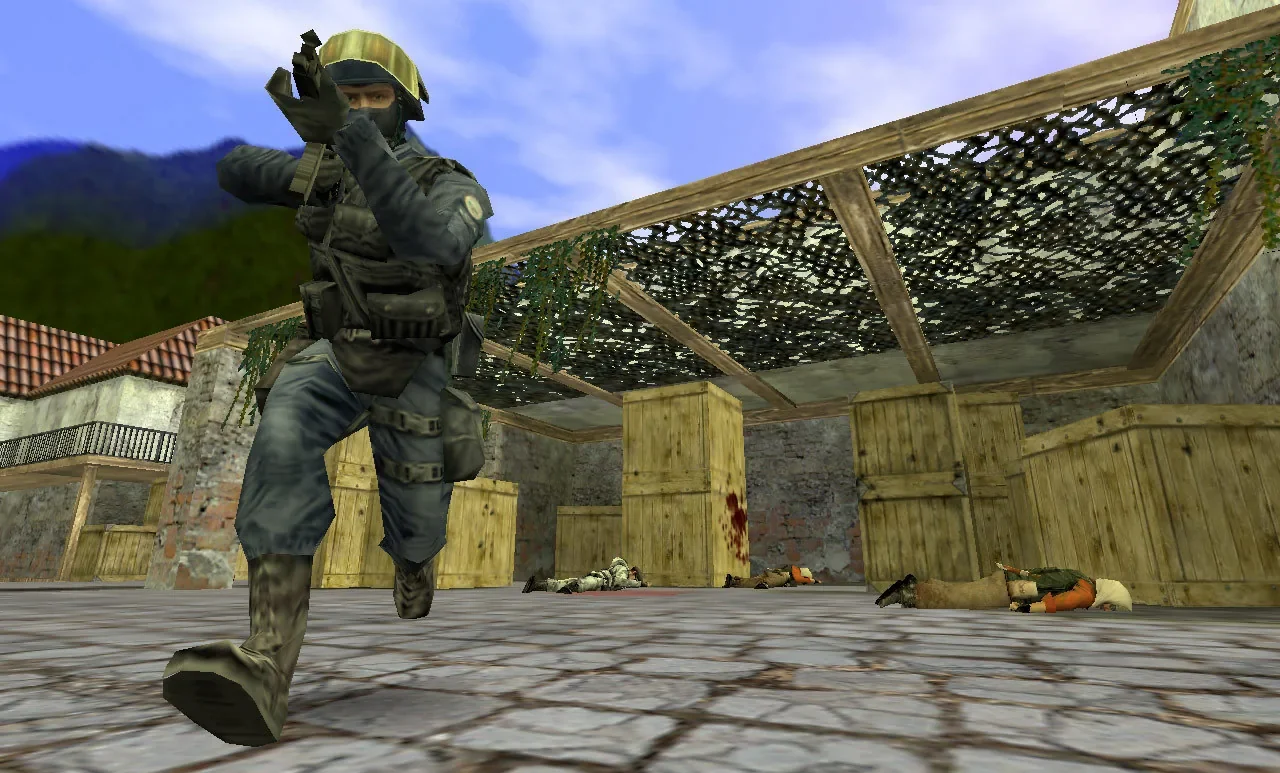
Inferno
de_infernoA stone courtyard, stacked crates and a timber canopy frame this moment of play.
Practice brief & local command
Try this in practiceFind a corner and choose where to hold your crosshair before turning. Repeat the movement slowly, then at your normal pace.
Local game consolemap de_infernoRequires an installed CS 1.6 client, this map’s BSP file and its required resources. Leave your current match first. Run this in the CS 1.6 console to start the map on your own local server; it does not join a public server.
-
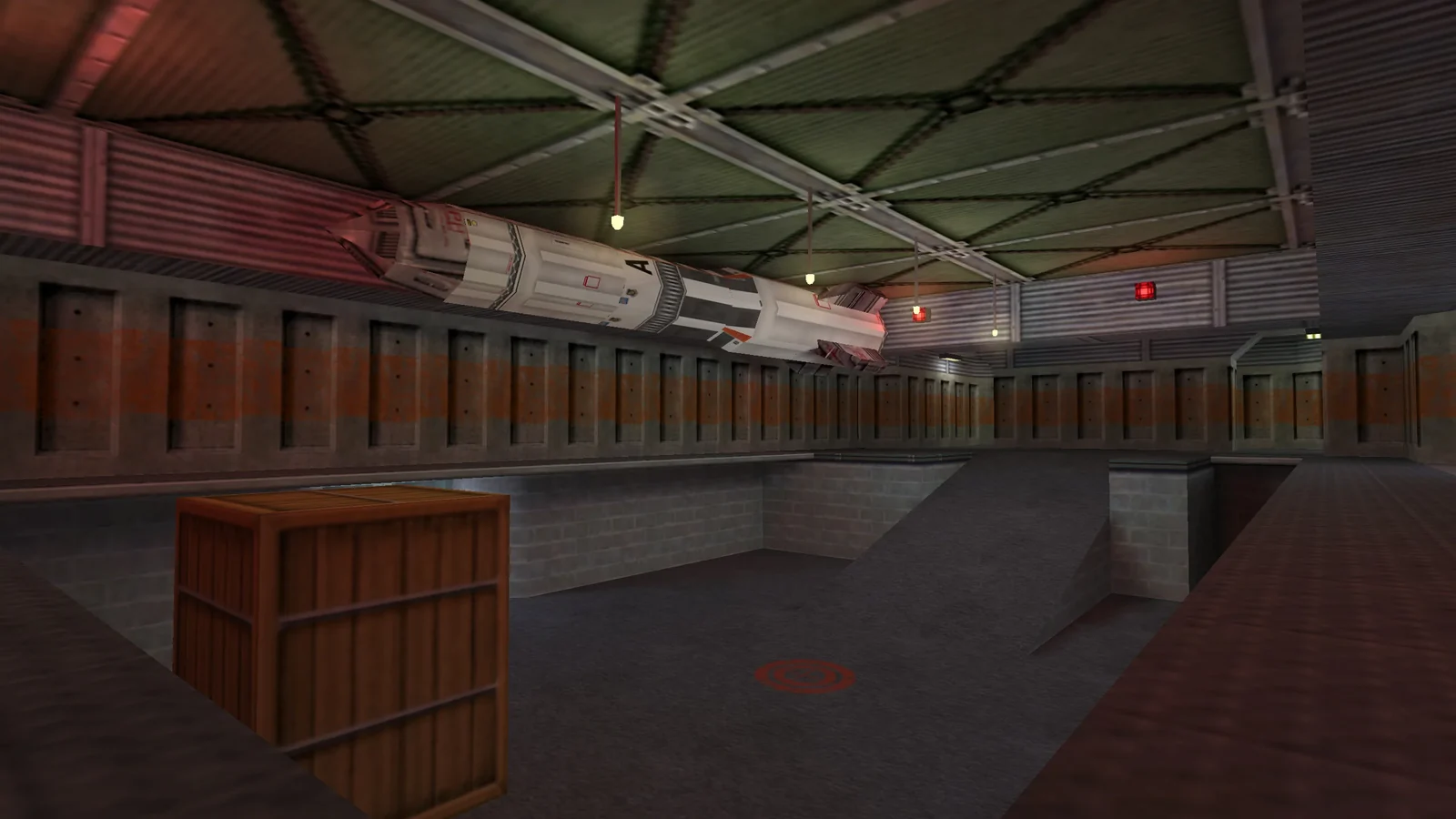
Nuke
de_nukeMetal walls, overhead lighting and a ramp give this industrial interior its character.
Practice brief & local command
Try this in practicePractise moving between a ramp and level ground. Pause at each change in height and check your crosshair placement.
Local game consolemap de_nukeRequires an installed CS 1.6 client, this map’s BSP file and its required resources. Leave your current match first. Run this in the CS 1.6 console to start the map on your own local server; it does not join a public server.
-
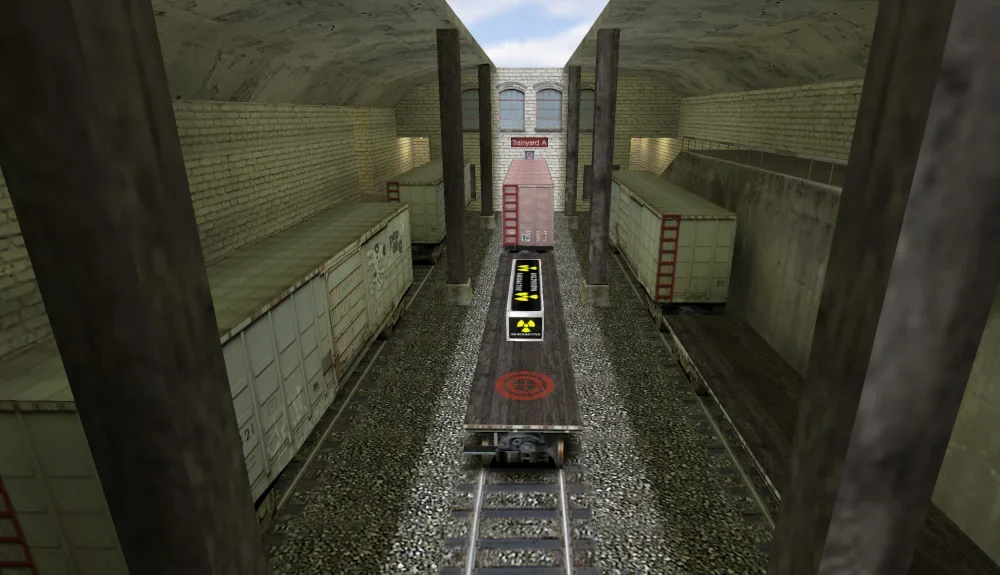
Train
de_trainParallel tracks and railway wagons divide the view into narrow lines of sight.
Practice brief & local command
Try this in practicePick two wagons as landmarks. Move between them and check each visible gap separately rather than sweeping every angle at once.
Local game consolemap de_trainRequires an installed CS 1.6 client, this map’s BSP file and its required resources. Leave your current match first. Run this in the CS 1.6 console to start the map on your own local server; it does not join a public server.
-
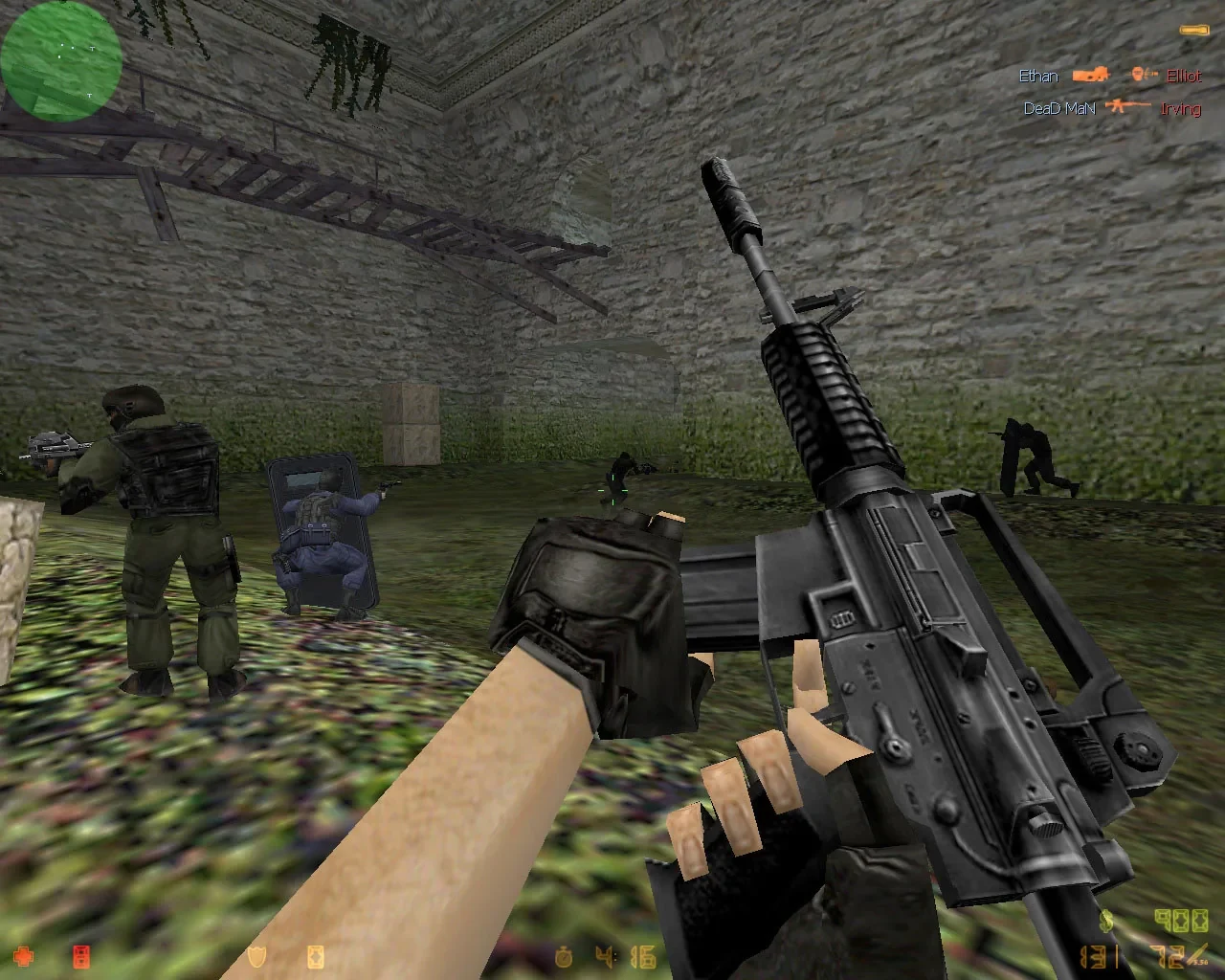
Aztec
de_aztecMossy stone walls and a wooden bridge appear behind the classic first-person HUD.
Practice brief & local command
Try this in practiceUse a visible stone edge as a reference. Compare your aim while moving, stopping and turning back toward the same point.
Local game consolemap de_aztecRequires an installed CS 1.6 client, this map’s BSP file and its required resources. Leave your current match first. Run this in the CS 1.6 console to start the map on your own local server; it does not join a public server.
-
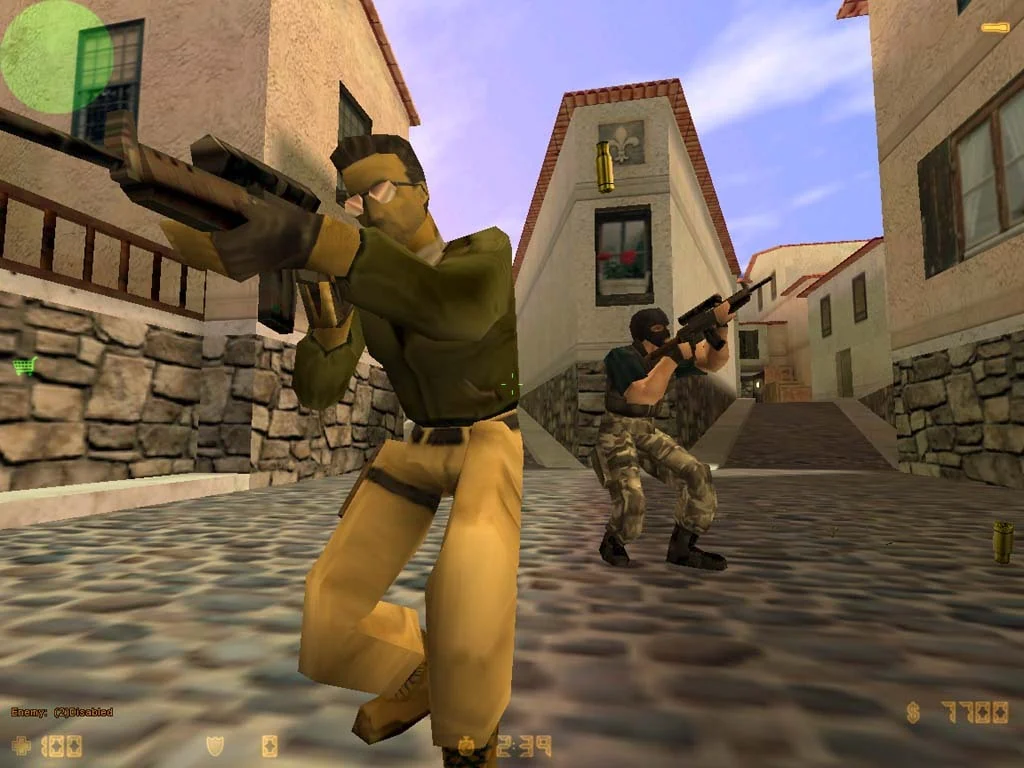
Italy
cs_italyPale buildings, tiled roofs and a cobbled lane set the scene for hostage rescue.
Practice brief & local command
Try this in practiceWalk one route in both directions. Name three landmarks to yourself so you can describe the way without relying on the screenshot.
Local game consolemap cs_italyRequires an installed CS 1.6 client, this map’s BSP file and its required resources. Leave your current match first. Run this in the CS 1.6 console to start the map on your own local server; it does not join a public server.
-
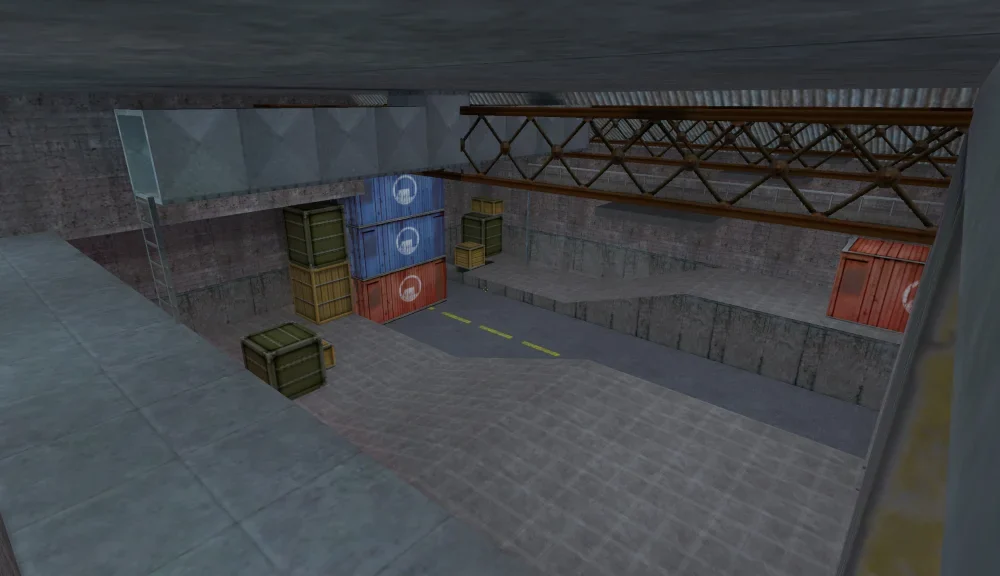
Assault
cs_assaultSteel beams and stacked cargo mark out the warehouse shown in this overview.
Practice brief & local command
Try this in practiceStart from a cargo stack and inspect one opening at a time. Repeat from another height and note how the visible space changes.
Local game consolemap cs_assaultRequires an installed CS 1.6 client, this map’s BSP file and its required resources. Leave your current match first. Run this in the CS 1.6 console to start the map on your own local server; it does not join a public server.
-
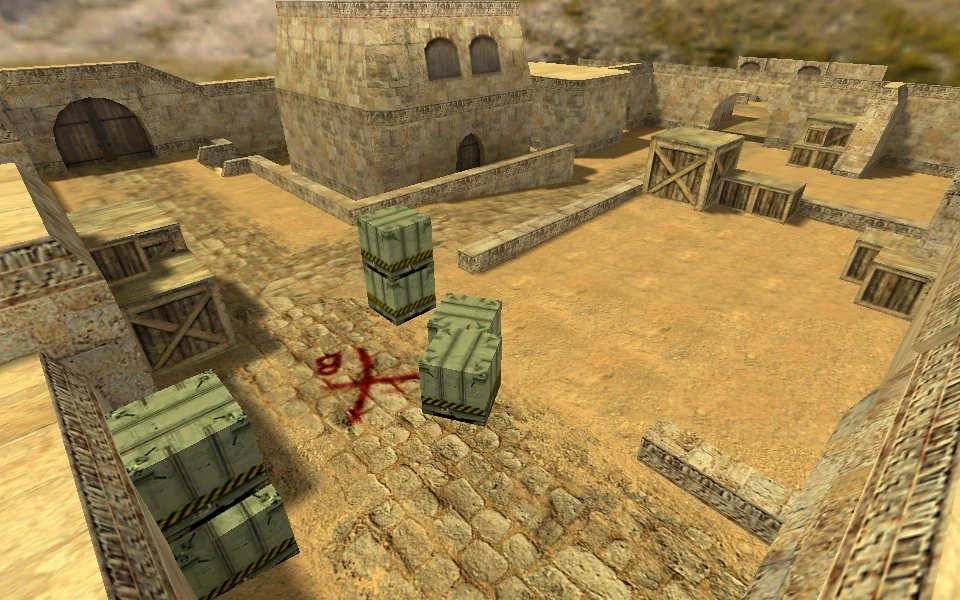
Dust
de_dustSand-coloured walls, green crates and a painted site marker distinguish this courtyard.
Practice brief & local command
Try this in practiceChoose a route between two crates. Check which parts of the courtyard are hidden as you move; then retrace the route in reverse.
Local game consolemap de_dustRequires an installed CS 1.6 client, this map’s BSP file and its required resources. Leave your current match first. Run this in the CS 1.6 console to start the map on your own local server; it does not join a public server.
No matching maps
Try a shorter name or include both map types.
Read the prefix before choosing
Prefixes describe a map's intended format, although community authors can bend the convention. Server plugins may also change the rules on a familiar layout.
| Prefix | Typical purpose | What to inspect |
|---|---|---|
| de_ | Bomb defusal | Routes to each site and rotation distance |
| cs_ | Hostage rescue | Rescue paths and defender positions |
| aim_ | Aim practice | Sightlines, cover and weapon selection |
| fy_ | Compact combat arena | Spawn exposure and available equipment |
Check the game and dependencies
Choose a release explicitly made for Counter-Strike 1.6 or its GoldSrc environment. A similarly named Source or CS2 map is not an interchangeable file. Read the author's instructions for texture files, models and sounds; a BSP alone may be insufficient.
For an online server, use the exact map revision it distributes. Renaming a different revision does not repair a mismatch and makes later troubleshooting harder.
Install one map, then test
If loading fails, record the exact missing filename before replacing anything else. Restore your backup to undo the change.
- Close the game and keep the downloaded archive separate from your installation.
- Inspect the archive and back up any existing files with matching names.
- Copy the map's files into the corresponding folders under cstrike, preserving the supplied structure and author instructions.
- Launch a local game, inspect textures and spawn points, then test the intended server.
Use the gallery as a shortlist
The Atlas gallery is a visual reference, not a downloadable map pack. Compare landmarks here, then obtain custom files from the map author or the server operator. For practice, learn one route and one rotation before adding another map.